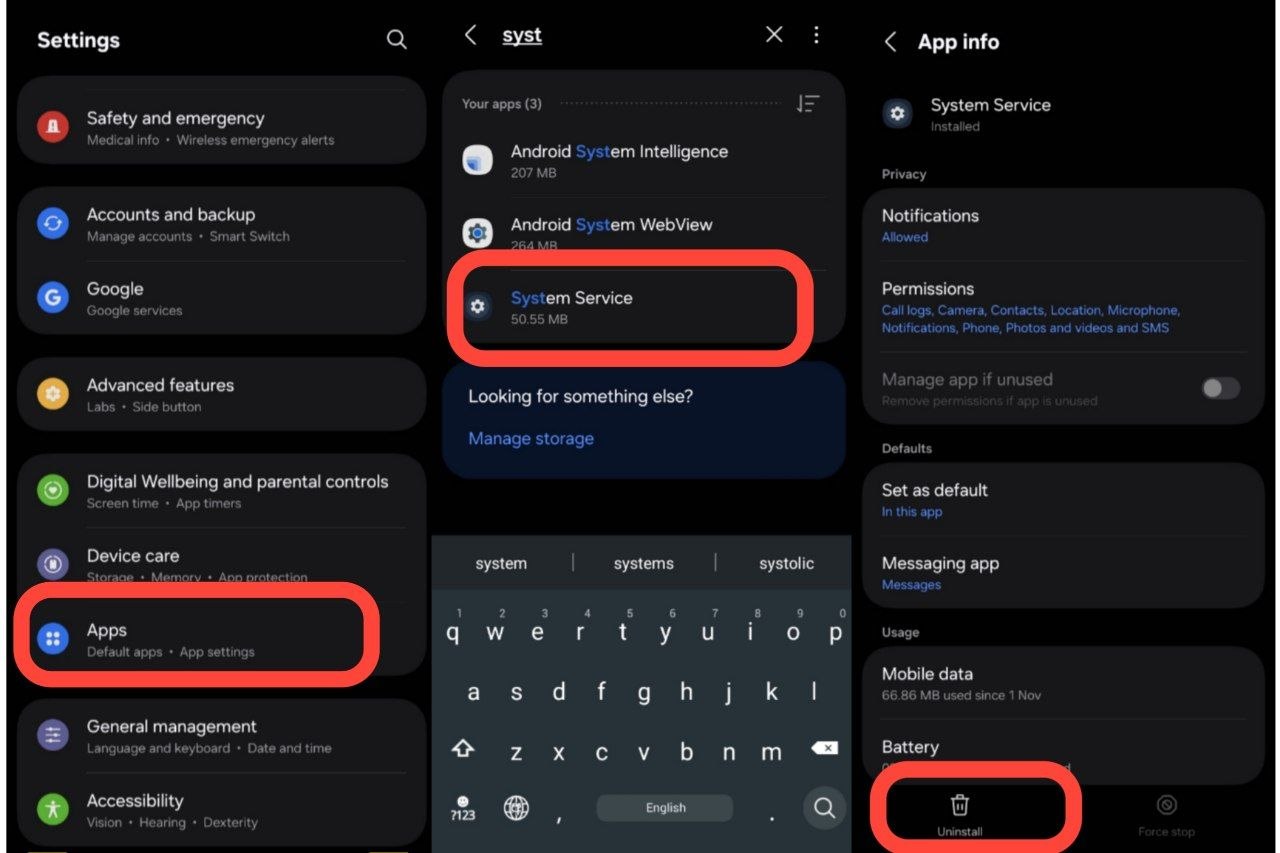
Go to Settings → Apps → Find "System Service" & Tap Uninstall
On the Kids device, open Settings, tap Apps, search for System Service, select it from the list, and tap the Uninstall button at the bottom.
Tap "Deactivate Device Admin"
A system prompt will appear. Tap Deactivate Device to confirm. The app will then be completely uninstalled from the phone.
Download the Latest Kids APK
Once uninstalled, open the browser on the Kids phone, visit guardex.site, and tap the Download button to get the updated Kids APK.
Set Up Using the Video Guide
Install the downloaded APK and follow the step-by-step setup video below to grant permissions and pair with your Parent account.